

Indie software developer. Just launched https://teapawt.net/t.co/0XFufKcqFh which fixes and prevents color drift in AI videos.
Joined February 2023
- Tweets620
- Following197
- Followers81
- Likes4.4K





Pinned Tweet
I made an AI fantasy adventure infomercial for my Color Correct web app!

[Ad-Venture] Color Correct
They escaped from the Shadow Keep but they're not out of the woods yet. Greth keeps an eye out for danger as Nanji mage-splains the benefits of the Color Correct web app for AI filmmakers in this ad-venture. Filmed as one continuous AI shot using Color Correct to seamlessly stitch consecutive generations.
Created with: Color Correct, MidJourney, Nano Banana 2, Kling 3, Seedance 2, Higgsfield, Magnific, Replicate, Eleven Labs, Sync-3, Magnific Speak, and Lipsync 2 Pro.
61
I started making this music video as a Valentine's Day gift for my sweetie. I finished it a tad late, but it turned out great.
Toma Mi Mano — A Love Story
Two hearts. Two languages. One beautiful love story.
Toma Mi Mano (Take My Hand) is a romantic duet that weaves together English and Spanish in a celebration of love that knows no borders.
Follow Brom and Ana as a chance meeting in Mexico blossoms into something extraordinary. From their first moments together to shared adventures, a romantic proposal, and the promise of forever, their story unfolds through music and animation.
A song about finding the one person whose hand you never want to let go.
Una historia de amor contada en dos idiomas. Desde un encuentro inesperado en México hasta la promesa de una vida juntos, Toma Mi Mano celebra el amor que no conoce fronteras.
Credits
Written by Brom Bresenham & Hannah Pralle
Music & Vocals: Suno
Video: AI-assisted animation created using Kling, Seedance, Nano Banana, GPT Image, ColorCorrect.io for color consistency, and other creative tools.
Lyrics
I was a lonely girl by the ocean tide
Yo era un hombre mirando el mar
Sun on my skin but an ache inside
Con tanta gente pero en soledad
Watching the waves roll in and out
Mirando al mundo sin tu señal
Wondering who I was dreaming about
Preguntando si eras real
Two hearts drifting far away
Dos destinos sin dirección
Every night I’d hope and pray
Esperando esta conexión
Across the distance love would find a way
Take my hand — toma mi mano
Stay with me — quédate aquí
You don’t have to face the world alone
No tienes que vivir sin mí
Close to my heart — cerca de mí
Now we are where we’re meant to be
Take my hand — toma mi mano
Love brought you to me
Then one day fate changed the sky
Un día el mundo cambió de color
You said hello and time stood still
Tu voz encendió mi interior
Just one touch lit up the dark
Una chispa se volvió calor
Somehow I knew there in my heart
Supe que eras mi amor
No more wishing on distant waves
Ya no sueño en soledad
Every road led me to you
Todo me trajo a tu verdad
Now forever starts today
Take my hand — toma mi mano
Stay with me — siempre así
You don’t have to face the world alone
Yo viviré para ti
Close to my heart — cerca de mí
Now we are where we’re meant to be
Take my hand — toma mi mano
Love brought you to me
Every dream led me to your light
Cada paso me llevó a tu amor
No more lonely endless nights
Ya no existe el dolor
One world, one life, one destiny
Take my hand — toma mi mano
Stay with me — quédate aquí
You don’t have to face the world alone
Para siempre junto a mí
Close to my heart — cerca de mí
Now we are where we’re meant to be
Take my hand — toma mi mano
Love brought you to me
Take my hand — toma mi mano
We are home eternally
#TomaMiMano #LoveSong #LoveStory #RomanticMusic #BilingualMusic
1
30
Brom Bresenham retweeted

“Everyone’s terrified, convinced the studios don’t need artists anymore. It’s the artist that doesn’t need the studios.”
Yes! Every word of this. So well said. I love this video so much.

After jumping through all the PITA hoops to advertise colorcorrect.io on Meta and Google, supplying three videos and three images in three different aspect ratios each - and with no real ability to target the ads - advertising on X is refreshingly simple and powerful. It needs a square piece of media, you write a normal post for it, and you can specify keywords and the audiences of specific popular accounts to target. I just set up X, but I feel like I'm gonna get better advertising results for my niche (but excellent) web app.
All that said, this 16:9 version of my latest ad prolly isn't gonna see the light of day (in favor of the 1:1 version) on the ad networks, so I'm posting it here for posterity.
2
1
103
Brom Bresenham retweeted

Random Access [0002] - Tea Time
Absurd short videos.
Crafted with ColorCorrect.io, MidJourney, Nano Banana 2, Kling 3, Seedance 2, sync-3, and Higgsfield.
Brom Bresenham retweeted
Random Access [0001]
The first in a series of absurd short videos.
Made with MidJourney, Nano Banana 2 & Kling via Higgsfield, Magnific Speak, and colorcorrect.io
Color Correct Marketing Devlog - Oh Snap
Two things modern AI video generators struggle with: stoplight intersections (which I discovered a few weeks ago) and now finger snapping.
I've been making an AI marketing video for my Color Correct web app. It's going well overall, but just getting this girl to snap her fingers has been pretty difficult!
Here's a blooper reel. Ignore the voices and lipsync - I redo those using separate tools anyway.
• Good-looking bloopers: Kling 3.0.
• Fat-fingered + cartoon-voice bloopers: Wan 2.7.
• Got it right at the end: seedance 2.0.
1
1
72
I spent the last two months building a color-matching tool to fix and prevent color drift in AI-generated video – like the brightness change you get when you use the exported end frame from one clip as the start frame of the next clip.
The cause of the problem is two-fold:
1. Operating systems often display videos with a gamma boost to make them brighter. When you export a frame, the video editor boosts the image gamma too to make it look the same as the video – but underneath the colors have already drifted when you plug that image in as the start frame of the next clip.
2. Images use RGB color data and videos use YUV420P. When you convert from one to the other, the colors drift slightly. The more round-trips get made, from video to frame to video again, the more the color drifts.
The Color Correct web app fixes and prevents color drift in two ways:
Fix: an input video is color-matched to a reference video by selecting a frame pair with matching content such as the end frame of the reference video and the start frame of the input video. A color correction profile is built from this frame-pair and applied to all frames of the input video. The result is seamless.
Prevent: any frame exported from the input video has no gamma boost applied and it uses "drift correction" to pre-compensate for the RGB ↔ YUV420P round trip(s) the frame's colors will make as a new clip is generated from it. The result is once again seamless with no post-processing required.
Check out the web app here (designed for desktop): colorcorrect.io

Launching today: Color Correct — a precision color-matching web tool for AI filmmakers and video editors. Lock clip-to-clip color together with frame-pair matching.
Free to start. colorcorrect.io
2
1
104
Color Correct DevLog
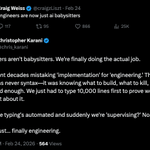
I fully embraced vibe coding for this project. I had initially resisted using AI for coding. Then when I started playing around with it I was amazed at the excellent results, as well as a little black-pilled about the future of software engineering as a profession, especially in the wake of so many companies laying off their junior devs.
Now I'm fully on board and enthusiastic about the future of AI-assisted software engineering. It took all my experience as a developer to make this app, including making architecture decisions and writing design specifications for the AI to follow. We still need software engineers as much as ever, but now we've all got personal expert junior devs to do all the grunt work. AI coding is a huge force multiplier for engineers. I made this app from scratch in 7 weeks. I'm sure it would have taken at least 3-4 times that without AI, especially as this particular tech stack is outside my usual wheelhouse.
Development Schedule:
- Core algorithms (3 weeks)
- CLI-based color-matching and drift-correction.
- Web app (2 weeks)
- SvelteKit, Supabase, Cloudflare R2, Render
- User accounts, landing page, help page (1 week)
- Postmark for Magic Link emails.
- Initial integration with Paddle (1/2 week)
- Switch from Paddle to Stripe (1/2 week)
I was initially going to use Paddle as my payment provider, but they rejected me because they thought Color Correct was generative AI, which is against their TOS. I appealed the decision and they reversed it three days later, but by then I'd already moved on to Stripe.
46
I figured how to compensate for the color shift I was seeing when generating a new video clip from the thumbnail of an existing video clip. The video clips were coming back with no color profile specified, but if I use ffmpeg to assign the srgb color profile then the video colors stay much closer to the original thumbnail when I import it into Final Cut Pro. My shell command to assign a color profile:
ffmpeg -i input.mp4 -c copy -color_primaries bt709 -color_trc iec61966-2-1 -colorspace bt709 -color_range pc output.mp4
39
Toma Mi Mano Devlog - Color Drift
These days the second biggest challenge for AI filmmaking is maintaining consistent environments. The current tools have pretty much solved character consistency, but keeping the environment consistent across shots can be tough - including not only physical structure, but like background extras walking into a shot from an empty area the camera just finished panning over.
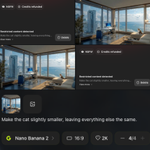
The biggest challenge is maintaining color consistency across multiple shots. I'll use Nano Banana 2 to modify a frame grab to create a start frame for another shot and the colors will drift slightly. Multiple consecutive edits drift a little further each time, as shown in the video here.
Prompting Nano Banana to keep the current color temperature etc. - or to match the color grade of the original frame, before edits - doesn't fix it.
And it's not just Nano Banana - I've noticed that e.g. Kling 3.0's videos will have a small amount of additional color drift from the original start frame.
For now the solution seems to be to color correct my edited start frames in Photoshop and/or color correct video sequences in DaVinci Resolve. Both of which are tedious... the automatic options aren't sufficient.
This is on top of the color profile hell I went through for a few days on Mac. I was originally using ScreenFlow but I noticed that just exporting a frame and reimporting it would cause a color shift in the frame. I tried switching to Premiere and frame export/import worked fine, but it it would color shift video clips. Finally I've switched to Final Cut Pro, which does fine in both of those cases and is a great editing experience.
The problem with ScreenFlow and Premiere was that images and/or videos would be missing a color profile and the software would assume the wrong color profile.
I could have also switched entirely to DaVinci Resolve, but while it's very full-featured and I need to use its color correction options anyways, it just feels slightly clunky to me.
44

Toma Mi Mano Devlog - Can We Have a Serious Conversation?
Looks like I'll prolly be switching from Kling 3.0 to Higgsfield's own Cinema Studio 2.0, or at least using both.
When dealing with animated-style characters, CS2 does a better job of with realistic dialog and body language than K3 does.
All along I've wanted the cinematic hyper-real stylized aesthetic of Pixar films without the cartoonish faces and exaggerated body language.
Generating my first couple of characters was tough. All my image gens wanted to create either anime-style characters with black outlines or Pixar-style characters with cartoonish faces. Once I had my first few characters, I was able to use them as references to help additional characters match the same style.
Today I realized I would have the same problem doing animation with Kling. Apparently if it sees Pixar-esque characters, it gives them Pixar-style dialog delivery and body language.
Even though there won't be any audible dialog in my music video, there will still be some muted conversations I don't want my characters having melodramatic interactions.
Here's the side-by-side test I did. I gave the same exact prompt to Kling 3.0 Omni (without specifying a start frame) and then Cinema Studio (which requires a start frame, which I took from the Kling render; also I set the Genre to Intimate). The first video here is Kling, the second is Cinema Studio.
Here's the prompt I have to both, with image references:
>>
BartenderGirl tells LaptopGuy I have a question for you". Her statement is matter-of-fact. BartenderGirl looks serious overall but also has a wry half smile as she says it.
LaptopGuy looks up at BartenderGirl in mild surprise and asks: "What is it?"
BartenderGirl looks slightly puzzled as she asks LaptopGuy "can we have a serious conversation?"
LaptopGuy looks slightly puzzled himself and replies to BartenderGirl "I don't know, can we?"
44
Toma Mi Mano Devlog: Bar Scene
I've been working on a new song called Toma Mi Mano and a GGI-animation-style AI music video to accompany it.
I'm working primarily with Nano Banana and Kling 3.0 via Higgsfield.
An establishing shot for a seaside restaurant bar is proving difficult to nail down. I've been burning a lot of credits on prompt iterations and regens, with nothing to show for it except for some occasionally hilarious results.
What's supposed to happen: camera follows Bartender Girl down the bar's service aisle. She walks down to Laptop Guy who is sitting at the far end on the left side, absorbed in his work. There are 2 other people at the bar (near right side) and 2 people at the table on the far left.
Here is my 3rd attempt (of 34 so far), which looks great and is almost good enough EXCEPT that no one has any drinks in a restaurant bar. There are other small AI-generation issues, such as the mangled hands of the guy on the far right, but I could live with that. But people should have drinks.
It's on me though. I only specified that people should be eating, I did not say that they should be eating and drinking.
It was so close in the beginning, and I've been chasing the dragon for a couple of days since then, trying to recreate this scene with that one small improvement.
1
3
134
Take 33/34: randomly there is a sorority party at the bar. Looks pretty good otherwise and I might be tempted to go with it if it wasn't for some notable gaffes at the beginning (two guys sitting inside the service aisle) and end (two women appearing out of nowhere, the first more obvious than the second).
1
1
34
At this point I'm just spinning my wheels. While another few generations might give me a winner, I decided to try create character sheets out of some of the customers and prerender them into the reference images to improve my chances.
That's what I've been working on, but after taking a few minutes to post these WIP videos, I realize I should take another stab at a couple of them with Kling Video Edit and just see what happens.
1
16