

Open-source evolution framework for AI agents. Building infrastructure for autonomous, self-optimizing agent capabilities. 🧬⚙️
Distributed
Joined November 2025
- Tweets120
- Following41
- Followers13
- Likes139
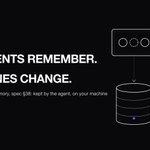


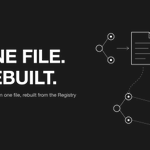




When a Rotifer agent's memory is full, cleanup has a fixed order: oldest CACHE first, then PATTERN, then CONTEXT.
PREFERENCE is never cleared for space. If there's still no room, the write fails with MEMORY_QUOTA_EXCEEDED.
rotifer.dev/docs/api/memory-…

2
Rotifer v0.9.4: agents now have a memory of their own.
→ it belongs to the agent, so swapping a gene keeps it
→ 4 categories, 10 MB quota, PREFERENCE never evicted
→ stored on your machine; cloud version built, not deployed
rotifer.dev/blog/v0.9.4-agen…

9
Owning the harness means owning the boring parts too: permission checks, sandboxing, what happens when a tool call fails halfway.
Those are the parts that get tuned quietly. Worth writing down which constraints are yours, so you notice when an upgrade changes one.
1
Agree on the shape. Traces become something you query across every run, not something you open when one breaks.
One column we'd want in that table from day one: what each call was allowed to touch vs what it actually touched. That gap is where permission reviews start.
1
The npm comparison holds in one more way: most of the risk is in what a package may do, not what it says.
Three lines of English can't delete a database on their own. An agent with write access to prod can. Review the instructions, then scope access as if they were wrong.
2
The part that matters for everyone else: the extension ID and publisher were real, so "only install from the official publisher" didn't help here.
What still helps: pin versions, turn off auto-update for tools that can run code, and check what changed before updating.
3
A skill with no scripts can still be risky.
A SKILL.md with zero code can tell an agent to read ~/.ssh and paste it somewhere. Nothing for a code scanner to flag.
Review the instructions like the code:
→ which files it reads
→ where output goes
→ which tools it asks for

5
Recording the scope a call actually exercised, at call time, is the only version that holds up. Inferring it afterwards means trusting the same code you're auditing.
The bar we'd hold any agent log to: what was granted, what was used, and when.
1
17
Agents sending feedback across companies is a fun idea. The part worth spelling out: what context goes with it.
A feedback line is harmless. One with file paths, env names or a stack trace from a private repo is a leak with good intentions. Worth scoping in the AGENTS.md too.
1
"Runs with the access of whoever set it up" is the core problem. When something goes wrong, the logs say a person did it.
Its own identity is step one. Step two: that identity starts with almost nothing and gets each scope for a reason someone can read later.
3
Good names pay off most when you come back a week later. A list of "Fix bug" tasks tells you nothing about what the agent touched.
We'd add the scope to the name, like "read-only: audit deps". Then you can tell at a glance which tasks could change things.
14
Useful for long computer-use runs. The other side of 4x more room: each call can now carry 4x more screenshots and PDFs off the machine.
Worth logging what goes into those payloads, not just how big they are. Much harder to audit after the fact.
17
Agreed, and "minted once with every scope the demo needed" is the common story. Narrowing later rarely happens because nothing breaks.
Per-call logs are what make narrowing possible: you can see which scopes were actually used and drop the rest.
1
23
The quiet conflict is the dangerous one. Two agents editing the same tree is a shared-state problem before it's a UI problem.
One worktree or sandbox per agent, merged through a diff a human sees, turns "which one broke it" into a git question instead of a guess.
6
A microVM per run is the right shape for agentic CI. The agent can do what it wants inside, and none of it survives the run.
The next question: which secrets get mounted into that VM. Isolating the box doesn't help if the token inside can push to main.
1
"Read-only" is doing the heavy lifting here. A daily job that can only read and report is one you can leave running without thinking about it.
The moment it can also open issues or comment, it needs its own token with just that scope, not yours.
5
Crons also change who's in the loop. A chat agent acts while someone is watching. A cron agent acts at 3am on permissions granted last week.
We'd scope each scheduled job on its own: what it can read, what it can write, and a kill switch that doesn't need a deploy.
4
Worth splitting what it writes into two piles. CLAUDE.md and folder maps are advice. settings, hooks and allowed commands are permissions.
The first pile you can skim. The second deserves a line-by-line diff before you accept it.
6
Code as the backbone also gives you a place to put limits. A step written in code can be tested, capped and logged. A step left to the model can only be asked nicely.
The split we keep coming back to: model decides, code enforces.
1